

Firmware upgrades are essential for maintaining the optimal performance of wall - mount speakers used in conferences. As a leading supplier of Conference On Wall Mount Speakers, I am here to guide you through the process of upgrading the firmware of these speakers. This blog post will provide you with a step - by - step guide, important considerations, and the benefits of performing firmware upgrades.
Why Upgrade the Firmware?
Before delving into the upgrade process, it's crucial to understand why firmware upgrades are necessary. Firmware is the software that runs on your wall - mount speakers. Manufacturers regularly release firmware updates to enhance the functionality, fix bugs, improve security, and optimize the audio quality of the speakers.
- Enhanced Functionality: New features may be added through firmware upgrades. For example, an upgrade might introduce support for new audio codecs, allowing your speakers to play a wider range of audio formats. It could also enable integration with other conference room equipment, such as video conferencing systems.
- Bug Fixes: Over time, manufacturers identify and address issues in the firmware. These bugs can cause problems like audio glitches, connectivity issues, or unexpected shutdowns. By upgrading the firmware, you can eliminate these problems and ensure smooth operation during conferences.
- Improved Security: In today's digital age, security is a top concern. Firmware updates often include security patches to protect your speakers from potential threats, such as unauthorized access or data breaches.
Step - by - Step Guide to Firmware Upgrade
Step 1: Check Compatibility
The first step in upgrading the firmware of your wall - mount speakers is to ensure that the upgrade is compatible with your specific model. Visit the manufacturer's website and look for the support section. Enter the model number of your speakers to find the available firmware updates. Make sure to read the release notes carefully to understand what the update includes and if it is suitable for your needs.
Step 2: Backup Your Data
Although firmware upgrades usually do not affect your personal data on the speakers, it's always a good practice to back up any important settings or configurations. Some speakers allow you to export settings to a file, which you can then import after the upgrade.
Step 3: Download the Firmware
Once you have confirmed the compatibility, download the latest firmware from the manufacturer's website. Save the file to a location on your computer where you can easily find it, such as your desktop or downloads folder.
Step 4: Prepare the Speakers
Before starting the upgrade process, make sure your wall - mount speakers are properly connected to a power source and are in a stable environment. Turn off any other devices that may interfere with the upgrade process, such as wireless routers or other audio equipment.
Step 5: Connect the Speakers to the Computer
Depending on the model of your speakers, you may need to connect them to your computer using a USB cable or a network cable. Follow the manufacturer's instructions to establish a connection between the speakers and the computer.
Step 6: Install the Firmware
Open the firmware file you downloaded earlier. The installation process may vary depending on the operating system of your computer and the type of firmware. In most cases, you will need to run an installation wizard. Follow the on - screen instructions carefully. The installation process may take several minutes, so be patient and do not interrupt it.

Step 7: Verify the Upgrade
After the installation is complete, turn on your speakers and check if the upgrade was successful. You can usually find the firmware version information in the speaker's settings menu. Compare the new version with the previous one to confirm that the upgrade was successful.
Important Considerations
- Power Supply: Ensure that your speakers are connected to a reliable power source during the upgrade process. A power outage during the upgrade can cause serious damage to the speakers and may render them inoperable.
- Network Stability: If you are using a network connection to upgrade the firmware, make sure your network is stable. A weak or interrupted network connection can lead to incomplete downloads or failed installations.
- Manufacturer's Instructions: Always follow the manufacturer's instructions carefully. Different models of wall - mount speakers may have different upgrade procedures, and deviating from the instructions can result in problems.
Benefits of Upgrading with Our Conference On Wall Mount Speakers
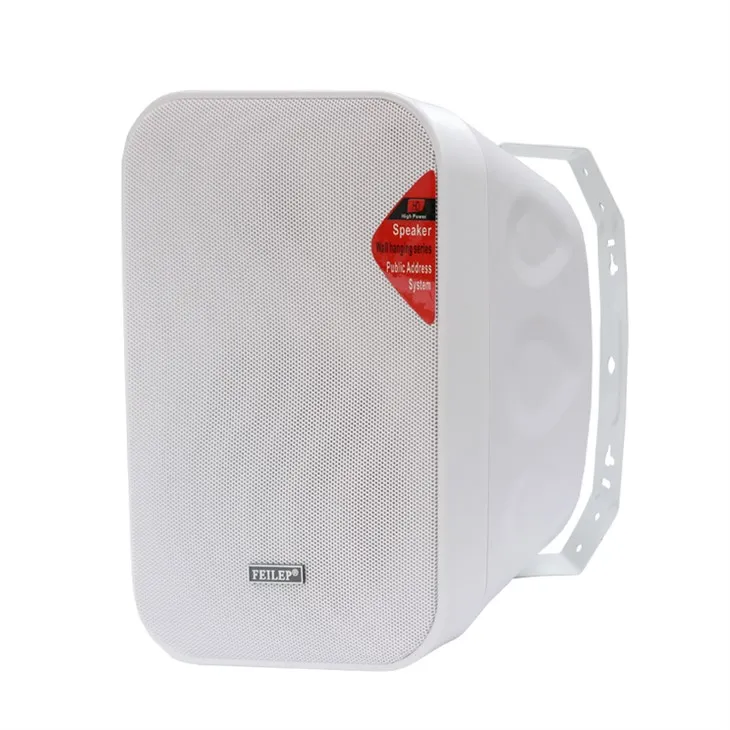
As a supplier of Conference On Wall Mount Speakers, we offer high - quality products that are designed to meet the needs of modern conference rooms. Our speakers are equipped with advanced technology and are regularly updated with the latest firmware.
- Superior Audio Quality: Our speakers are engineered to deliver clear and crisp audio, ensuring that every word spoken in the conference room is heard clearly. Firmware upgrades further optimize the audio performance, providing an immersive listening experience.
- Reliability: We understand the importance of reliability in a conference setting. Our speakers are built to last, and firmware upgrades help maintain their reliability by fixing bugs and improving stability.
- Easy Integration: Our wall - mount speakers are designed to integrate seamlessly with other conference room equipment. Firmware upgrades enhance this integration, allowing you to create a more efficient and effective conference environment.
Related Products
If you are interested in exploring our range of wall - mount speakers, we offer several options to suit different needs. Check out our 40w On Wall Mount Speakers, which are perfect for small to medium - sized conference rooms. For outdoor use, our Outdoor On Wall Mount Speakers are designed to withstand various weather conditions. And if you need speakers for a security system, our Security System Surface Mount Speakers provide reliable audio output.
Conclusion
Upgrading the firmware of your wall - mount speakers for conferences is a simple yet effective way to enhance their performance, fix bugs, and improve security. By following the steps outlined in this blog post and considering the important factors, you can ensure a successful upgrade process. As a supplier of Conference On Wall Mount Speakers, we are committed to providing you with high - quality products and support. If you have any questions or are interested in purchasing our speakers, please feel free to contact us for procurement and further discussions.
References
- Manufacturer's documentation for wall - mount speakers
- Industry reports on audio equipment firmware upgrades